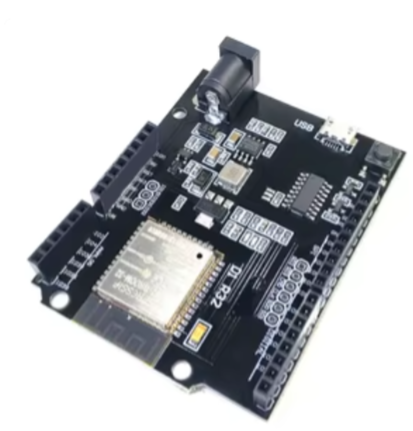
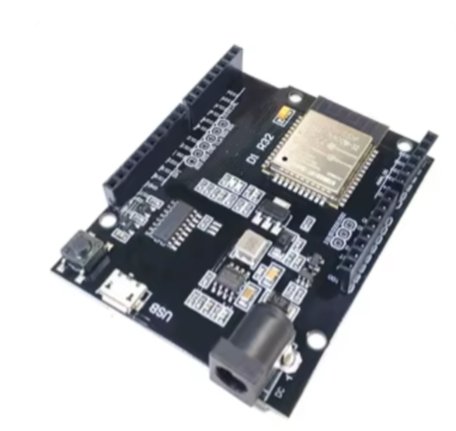
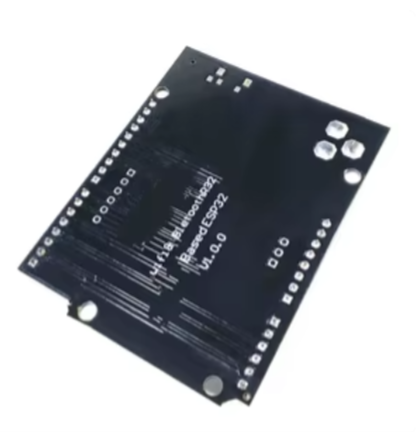
WEMOS LOLIN32 ESP32 Development Board
Compact IoT Module with Wi-Fi and Bluetooth
The WEMOS LOLIN32 is a compact development board based on the ESP32WROOM32 module, featuring a dualcore Xtensa® LX6 processor and integrated WiFi 802.11 b/g/n and Bluetooth 4.2.
DualCore 240MHz Processor Powerful performance for IoT applications
Builtin WiFi and Bluetooth - Complete wireless connectivity
Operating voltage is 3.3V (logic) with 5V input via USB or pin header
Use the USB port for programming and power via a data-capable cable
GPIO pins are 3.3V logic - use level shifters for 5V devices
Technical Specifications
| Parameter | Value |
|---|
| Processor | ESP32 Dual-Core Xtensa LX6 |
| Clock Speed | 240MHz |
| Flash Memory | 4MB |
| SRAM | 520KB |
| Wi-Fi | 802.11 b/g/n (2.4GHz) |
| Bluetooth | v4.2 BR/EDR and BLE |
| Operating Voltage | 3.3V |
| Input Voltage | 5V via USB or pin |
= Key Features =
DualCore Processing 600 DMIPS computing power for complex tasks
Integrated Wireless WiFi and Bluetooth in one module
USB Programming - Connects via USB for code upload and serial monitor
Compact Form Factor Small footprint for spaceconstrained designs
GPIO Access - Multiple pins for sensors, displays, and actuators
= Applications =
- IoT sensors and smart home devices
- Wireless data logging and monitoring
- Bluetooth LE peripherals and beacons
- Battery-powered portable projects
- Wi-Fi connected automation systems
Versatile IoT Platform - ESP32 ecosystem with extensive community support
Easy to Use - Compatible with Arduino IDE and MicroPython
√ Works with standard ESP32 libraries and frameworks
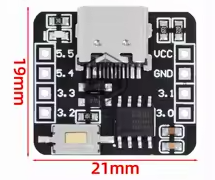
√ USB-C connector on some variants for modern connectivity
√ Breadboard-friendly design
Programming and Development
The board supports multiple development environments including Arduino IDE, ESP-IDF, and MicroPython. For Arduino IDE, add the Espressif ESP32 board package URL and install the board definitions via Boards Manager.
Development tools:
- Arduino IDE (with ESP32 board package)
- PlatformIO (with lolin32 board ID)
- ESP-IDF framework
Select "WEMOS LOLIN32" or "LOLIN D32" board in Arduino IDE
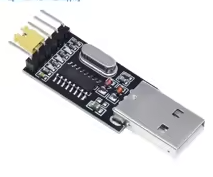
The board uses CH340G USBtoserial chip - install driver if needed
The USB port is for programming but may not provide enough power for all peripherals
Troubleshooting
Board not detected:
- Use a datacapable USB cable (not chargeonly)
- Install CH340G USB driver
- Try a different USB port
Upload fails:
- Hold BOOT button while uploading if board doesn't enter boot mode
- Check correct board selection in IDE
- Verify port selection matches connected device