1602 lcd WITHOUT I2C MODULE
KSH 350.00
In Stock
The 1602 LCD (16 characters x 2 lines) is a classic alphanumeric display module used for decades in electronics projects . It provides a simple, low-cost interface for displaying text and numbers in Arduino, Raspberry Pi, and embedded applications. This version uses a parallel interface, requiring multiple I/O pins for communication .
| Parameter | Value |
|---|---|
| Characters | 16 x 2 lines |
| Display Format | 5 x 8 dots per character |
| Interface | Parallel (16-pin) |
| Supply Voltage | 5V DC |
| Backlight | LED (blue/green/white/yellow) |
| Controller | HD44780 compatible |
| Dimensions | ~80 x 36 x 18mm |
= Pin Configuration =
| Pin | Symbol | Function |
|---|---|---|
| 1 | VSS | Ground (0V) |
| 2 | VDD | Power (+5V) |
| 3 | V0 | Contrast adjustment |
| 4 | RS | Register Select (0command, 1data) |
| 5 | R/W | Read/Write (0write, 1read) |
| 6 | E | Enable signal |
| 7-14 | D0-D7 | 8-bit data bus |
| 15 | A | Backlight Anode (+5V) |
| 16 | K | Backlight Cathode (GND) |
= Key Features =
+Classic Character Display - 16x2 format suitable for various applications
+Parallel Interface - Standard HD44780 protocol with extensive library support
+Onboard LED Backlight - Illuminates display for visibility in dim conditions
+UserDefined Characters Creates custom characters via CGRAM
√ Works with Arduino LiquidCrystal library
√ Available in multiple backlight colors
√ Easy to find and replace
| LCD Pin | Arduino Pin | Function |
|---|---|---|
| 1 | GND | Ground |
| 2 | 5V | Power |
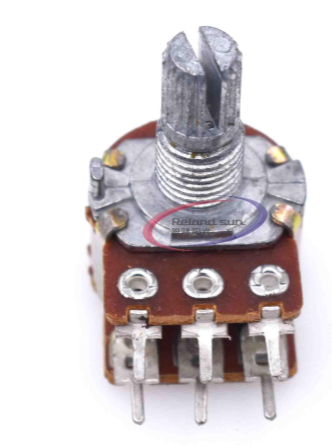
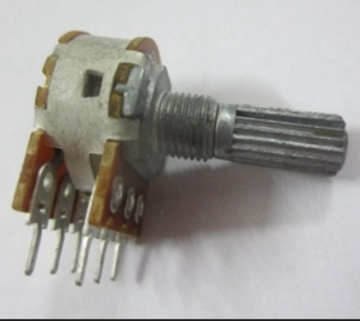
| 3 | Potentiometer | Contrast (10kΩ) |
| 4 | D12 | RS |
| 5 | GND | R/W (write mode) |
| 6 | D11 | Enable |
| 11 | D5 | Data 4 |
| 12 | D6 | Data 5 |
| 13 | D7 | Data 6 |
| 14 | D8 | Data 7 |
| 15 | 5V | Backlight (through resistor) |
| 16 | GND | Backlight ground |
> In 4bit mode, only D4D7 (pins 11-14) are connected to the Arduino .
No display:
Garbled characters:
Blank squares (Row of blocks):