SSD1306 OLED Display
KSH 500.00
In Stock
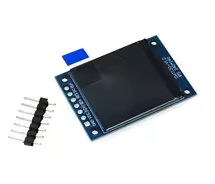
The SSD1306 OLED display is a highcontrast, selfemitting display module that does not require a backlight, as each pixel emits its own light. It provides crisp visuals and deep black levels, making it a popular choice for Arduino, ESP32, and Raspberry Pi projects. The display is driven by the SSD1306 IC and is commonly available in both I2C and SPI configurations.
| Parameter | Value |
|---|---|
| :- | :- |
| Driver IC | SSD1306 |
| Interface | I2C or SPI |
| Resolution | 128x64, 128x32, or 96x16 pixels |
| Display Colors | White, Blue, or Yellow+Blue dual color |
| Operating Voltage | 3.3V / 5V |
| Contrast | >10000:1 |
| Viewing Angle | >160 degrees |
The display is available in multiple sizes, such as 0.91" (128x32), 0.96" (128x64), and 1.3" (128x64) [citation:2][citation:3][citation:7]. The choice of interface and size depends on your project's requirements.
## Key Features and Advantages
Sharp & Clear Graphics - Draw text, shapes, and images easily
Thin and Lightweight - Typically around 2.2g, enabling compact designs
Wide Compatibility Works with many development boards and popular libraries like Adafruit_SSD1306, U8g2, and the builtin framebuffer on MicroPython
Choice of Interface - I2C uses fewer pins, while SPI can be faster for animations
√ Great for projects that need a clear, low-power display
√ Compatible with 3.3V and 5V logic levels
√ Backed by extensive community and library support
## Troubleshooting
Display not showing anything:
Garbled screen: