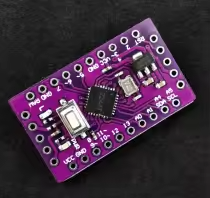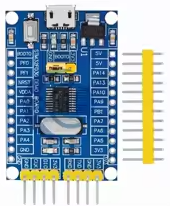
STM32F030F4P6 Cortex-M0 Microcontroller Development Board (for Arduino-Compatible)
KSH 80.00
Out of Stock
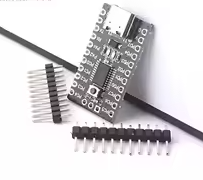
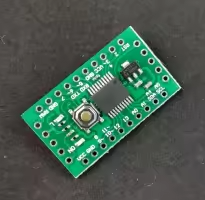
This development board is built around the STM32F030F4P6, a 32bit ARM CortexM0 microcontroller from STMicroelectronics. It offers an affordable entry point into the STM32 ecosystem for projects with modest memory requirements.
| Parameter | Value |
|---|---|
| Core | ARM CortexM0 32bit |
| Clock Speed | 48MHz |
| Flash Memory | 16KB |
| SRAM | 4KB |
| GPIO Pins | 15 |
| ADC | 11 channels x 12-bit |
| Timers | 5 16-bit (includes advanced PWM timer) |
| Communication | I2C, SPI, USART |
| Debug Interface | SWD |
| Package | TSSOP-20 |
= Key Features =
48MHz ARM CortexM0 32bit performance for costsensitive projects
12bit ADC 11 channels for sensor interfacing
Arduino IDE Compatibility - Works with stm32duino core
SWD Debug Interface - Standard programming/debugging for STM32
Low Power Modes - Sleep, stop, and standby modes
Crystal Oscillator - Precision resonator for accurate timing
√ Compatible with STM32duino Arduino IDE core
√ SWD programming interface accessible
√ TSSOP-20 footprint for compact PCB design
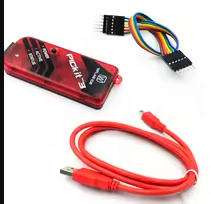
The board supports STM32CubeIDE, Keil MDK, and Arduino IDE via the STM32duino core. Programming requires an ST-Link V2 programmer connected via the SWD interface (SWCLK and SWDIO pins). For Arduino IDE, select "STM32F0 Series" board package.
Firmware upload fails:
Board not recognized:













 2.jpg "Buy AD8232 Analog Heart Rate Pulse Sensor (ECG) kit for KSH 1,500 – HIMASTORES Mombasa – Quality electronics in Mombasa, Kenya")