Flame Sensor Module for Arduino and Microcontrollers
KSH 250.00
In Stock
The flame sensor module is a lowcost, highly sensitive device that detects fire by sensing the infrared spectrum emitted by flames. It uses an infrared receiver (phototransistor) to detect light in the wavelength range of 760nm to 1100nm, making it ideal for fire alarm systems, firefighting robots, and flame-finding projects with Arduino and other microcontrollers [citation:2][citation:3][citation:6].
| Parameter | Value |
|---|---|
| Detectable Wavelength | 760nm - 1100nm [citation:3][citation:6][citation:7] |
| Detection Angle | Up to 60 degrees [citation:3][citation:7] |
| Detection Distance | 20cm to 100cm (varies with flame intensity) [citation:3][citation:9] |
| Operating Voltage | 3.3V to 5.3V [citation:3][citation:6][citation:7] |
| Output Types | Analog (AO) and Digital (DO) [citation:2] |
| Comparator IC | LM393 [citation:7] |
| Operating Temperature | -25°C to +85°C [citation:3][citation:6][citation:7] |
= Key Features =
+Infrared Detection - Sensitive to the infrared radiation emitted by flames, particularly around 940nm [citation:6][citation:9]
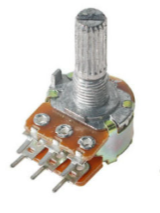
+Adjustable Sensitivity - Onboard potentiometer for setting the digital output threshold [citation:6][citation:7]
+High Response Speed - Response time of approximately 15µs for fast detection [citation:3][citation:6]
+Comparator Output - LM393 comparator provides clean digital signal with status LED indicator [citation:7]
√ Onboard power and signal LEDs for status monitoring
√ Mounting holes for secure installation [citation:3][citation:7]
√ Potentiometer for adjusting digital output sensitivity [citation:6][citation:7]
| Sensor Pin | Arduino Pin | Function |
|---|---|---|
| VCC | 5V | Power supply |
| GND | GND | Ground |
| DO | Digital Pin | Digital output (LOW when flame detected) |
| AO | Analog Pin | Analog reading (intensity/distance) |
> Connect DO to a digital pin to detect flame presence (LOW = flame detected) [citation:2][citation:5]
Sensor not detecting flame:
False triggers:
No output:
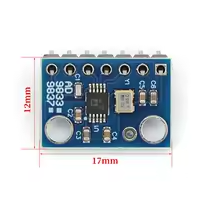
 2.jpg "Buy AD8232 Analog Heart Rate Pulse Sensor (ECG) kit for KSH 1,500 – HIMASTORES Mombasa – Quality electronics in Mombasa, Kenya")