Digital Load Cell Weight Sensor with HX711 ADC Breakout Module
20KG Portable Electronic Kitchen Scale for Arduino
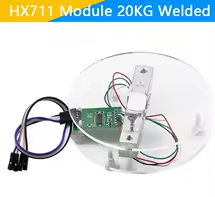
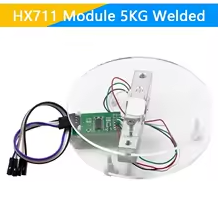
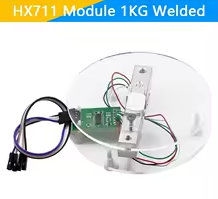
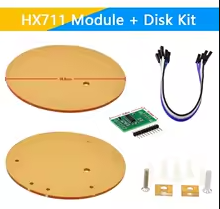
This 20KG load cell paired with the HX711 24-bit ADC module provides a complete weighing solution for Arduino kitchen scales and DIY projects.
High 20KG Capacity - Ideal for kitchen and food scales
24Bit Precision HX711 ADC for accurate weight readings
Operating voltage is 3.3V to 5V - compatible with most Arduino boards [citation:3]
Use the HX711 library for easy weight reading [citation:6]
Do not exceed 20KG maximum weight capacity
Technical Specifications
| Parameter | Value |
|---|
| Capacity | 20KG (44lbs) |
| ADC Resolution | 24-bit |
| Gain Options | 128x, 64x, 32x |
| Supply Voltage | 3.3V to 5V |
| Communication | 2-wire (DOUT and SCK) |
| Output Rate | 10SPS or 80SPS selectable |
= Key Features =
High Precision 24bit ADC for precise measurements
Complete Solution - Load cell and breakout module included [citation:1]
Dual Voltage Support - Works with 3.3V and 5V logic [citation:3]
Simple 2Wire Interface Easy connection to Arduino
Portable Design - Perfect for kitchen scale projects
= Applications =
- Kitchen and food scales
- Ingredient weighing systems
- Process monitoring
- Force measurement projects
- IoT weight tracking devices
Widely Used - Standard Arduino weighing solution
Easy Integration - HX711 library support available [citation:6]
√ Module included
√ Ready for breadboard use
√ Great for kitchen scale projects
Connection Guide
Load cell to HX711 [citation:1][citation:6]:
- Red wire: E+ (Excitation positive)
- Black wire: E- (Excitation negative)
- White wire: A- (Signal negative)
- Green wire: A+ (Signal positive)
HX711 to Arduino [citation:2][citation:6]:
- VCC: 5V (or 3.3V) [citation:3]
- GND: Ground
- DT: Digital pin (A1 or D6)
- SCK: Digital pin (A0 or D5)
Use the standard color code for correct connection [citation:6]
Apply known weight for calibration [citation:7]
Fix one end of sensor, apply load on the other end
Programming Instructions
Install HX711 library via Arduino IDE Library Manager [citation:2][citation:6]:
Basic setup code:
- Define DOUT and SCK pins
- Initialize scale with begin()
- Perform tare operation for zero reading
- Calibrate with known weight [citation:7]
Calibration process [citation:10]:
- Remove all weight for zero reading
- Place known weight on scale
- Adjust calibration factor until reading matches
Simple Control - Library handles ADC reading
Memory Function Calibration saves on poweroff
Used in professional weighing systems
Reliable and repeatable measurements [citation:7]
√ Library examples available
√ Supports multiple load cells
Troubleshooting
No readings:
- Check wiring connections [citation:1]
- Verify power supply
- Avoid loose connections
Inconsistent readings:
- Perform calibration procedure
- Check mechanical mounting
- Avoid external vibrations
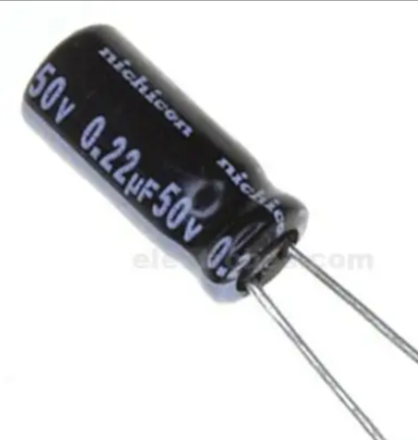
- Add capacitor for noise filtering